How To Change Password of Email Account in cPanel
-
Login to your cPanel
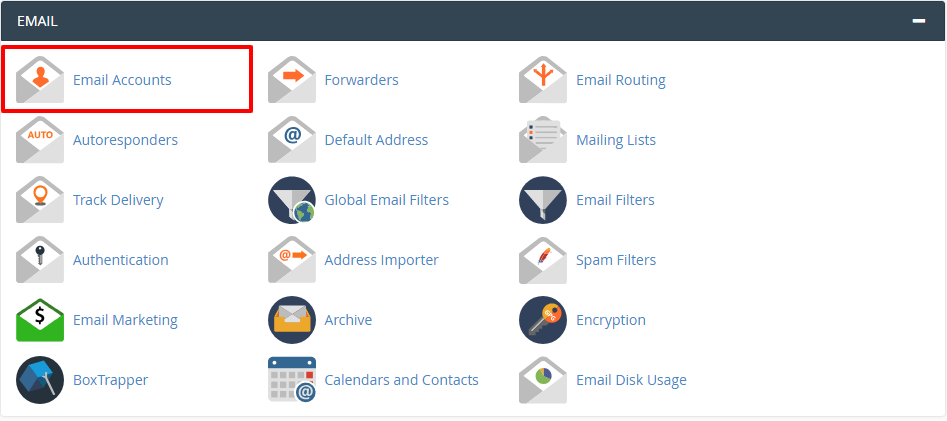
- In the Email section, click on Email Accounts
-
Now you will see Email Account window. Click on Email Accounts
- To change the password click on “Password and Authentication”
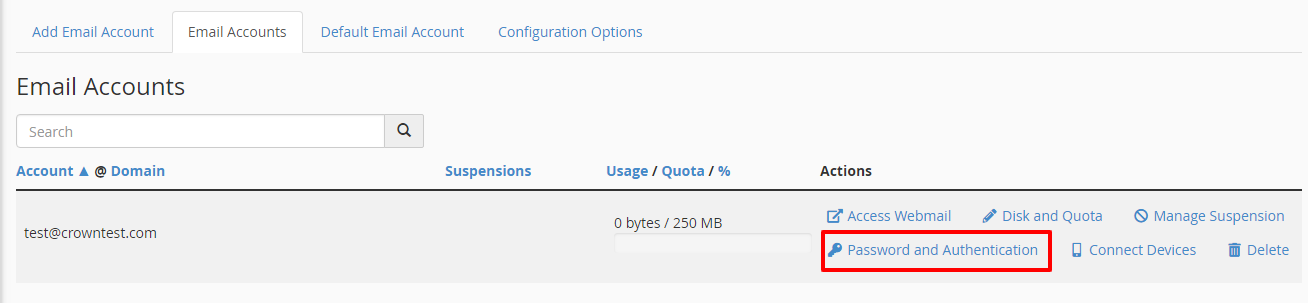
- Now you will see password fields
- Password (Enter a new password which you want to set)
- Password (Again) (Re-enter new password)
-
Click on Change Password button
- Done! The password has been changed