HOW TO CREATE AN FTP ACCOUNT FROM CPANEL
-
Login to your cPanel (http://web.crowncloud.net:2082)
-
In the Files section, click on FTP Accounts.
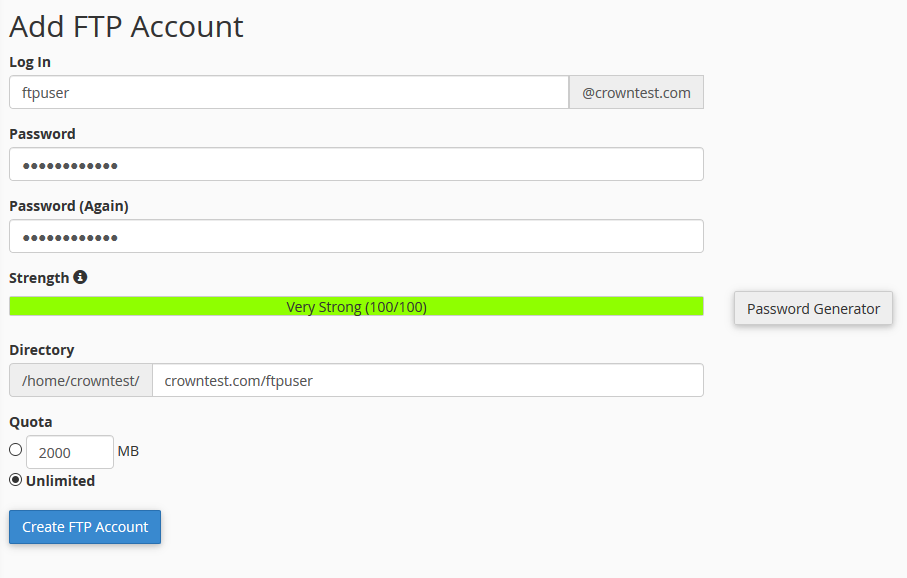
- Create a New account.
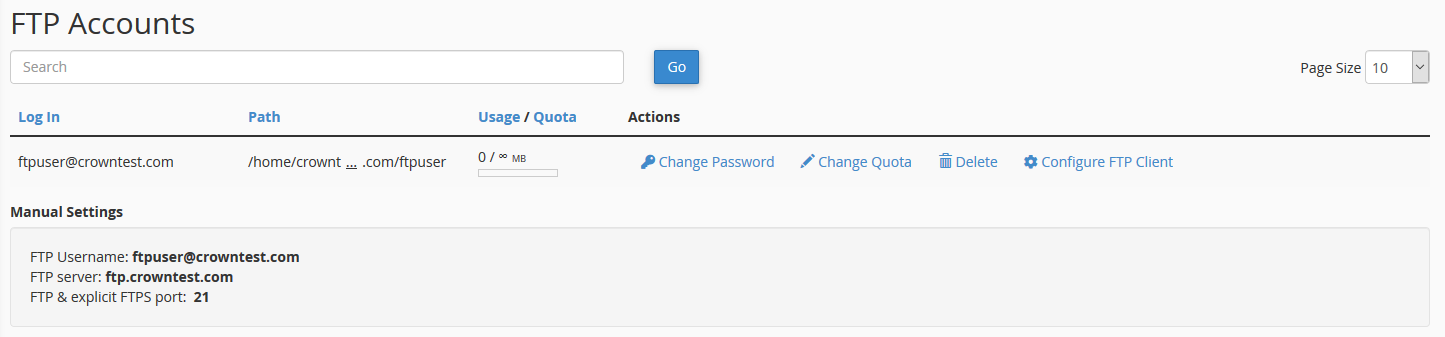
- Once a new account is created, it will be listed under the following section.
-
By clicking on the "Configure FTP client", You can view the settings for connecting to your account.
- Done, you have now created an account for FTP connections.
CrownCloud - Get a SSD powered KVM VPS at $4.5/month!
Use the code WELCOME for 10% off!
1 GB RAM / 25 GB SSD / 1 CPU Core / 1 TB Bandwidth per month
Available Locations: LAX | MIA | ATL | FRA | AMS